PoB Redux
Path of Exile 1 & 2 · Windows, Mac and Linux

A new interface for Path of Building.

PoB Redux is a desktop app that runs Path of Building Community's own calculation engine, so every number matches PoB. Your builds stay where PoB keeps them.

PoB Redux is a desktop app for Windows, Linux and macOS. Open this page on your computer to download it.

AppImage, amd64
Download for macOS
Apple Silicon
Also for Linux and macOS. Also for Windows and macOS. Also for Windows and Linux. PoB Redux runs on Windows, Linux and macOS. All releases
The Overview shows damage, defences, gear and skills on one page, and flags what needs a look.

What you get

Craft items roll by roll

Pick each affix by its family, then slide the roll across every tier, with PoB's tier names. The tooltip shows what the item changes before you equip it.
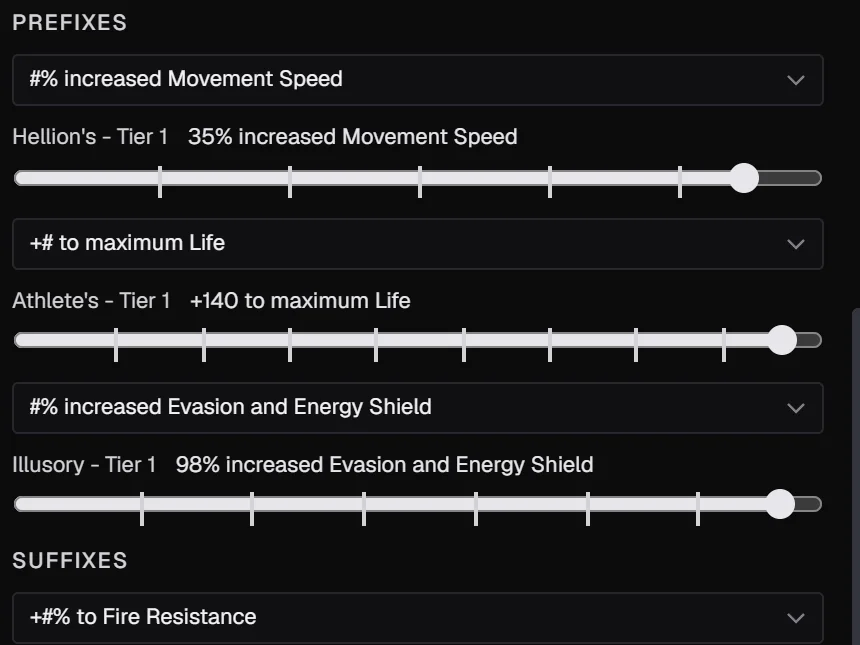
Affix sliders for movement speed and maximum life, both on Tier 1

Find upgrades with Optimize

Optimize reviews the build and ranks what is wrong, with a fix for each. It designs a rare for any slot from the real mod pool, and ranks passives by what each one gains per point. It is a best-effort search, so check each suggestion before you keep it.
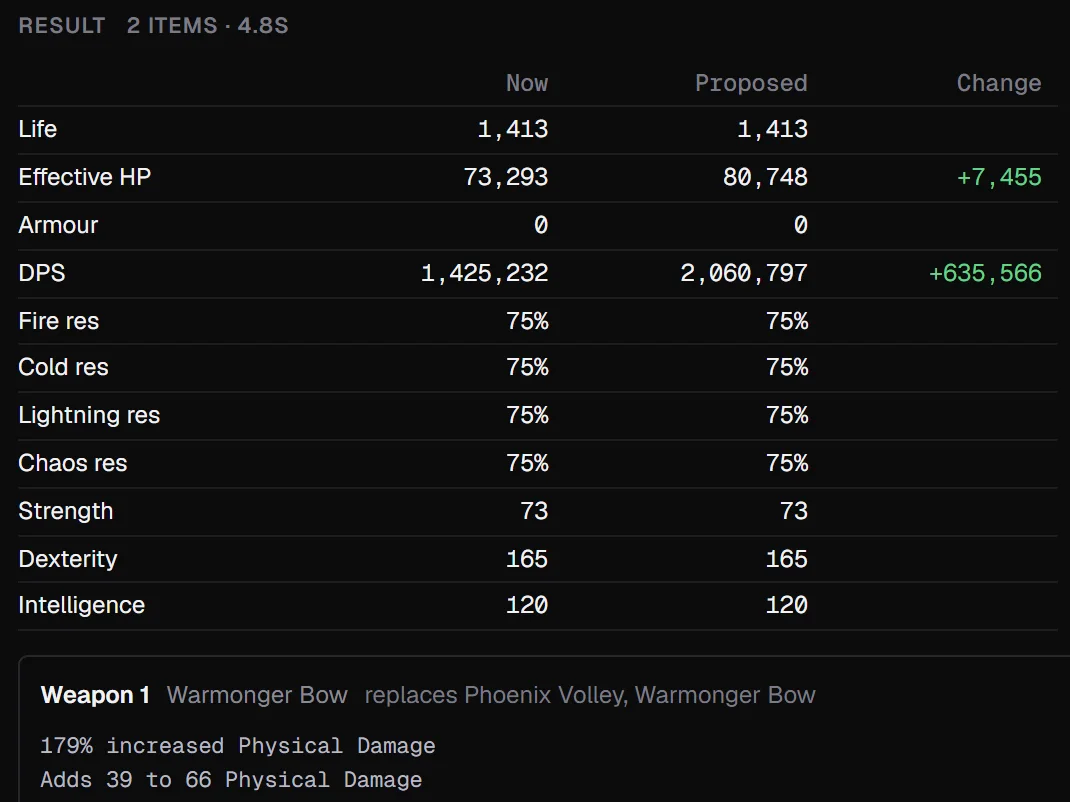
The Optimize result table with life, effective HP and DPS before and after

Ask about your build

The optional assistant answers questions about the open build and can make the change. It runs on your own Claude, ChatGPT, GitHub Copilot, Cursor, Grok, Kimi, OpenCode or Antigravity plan, signed in through that app, or on Ollama on your computer. Path of Exile 1 support is in beta.
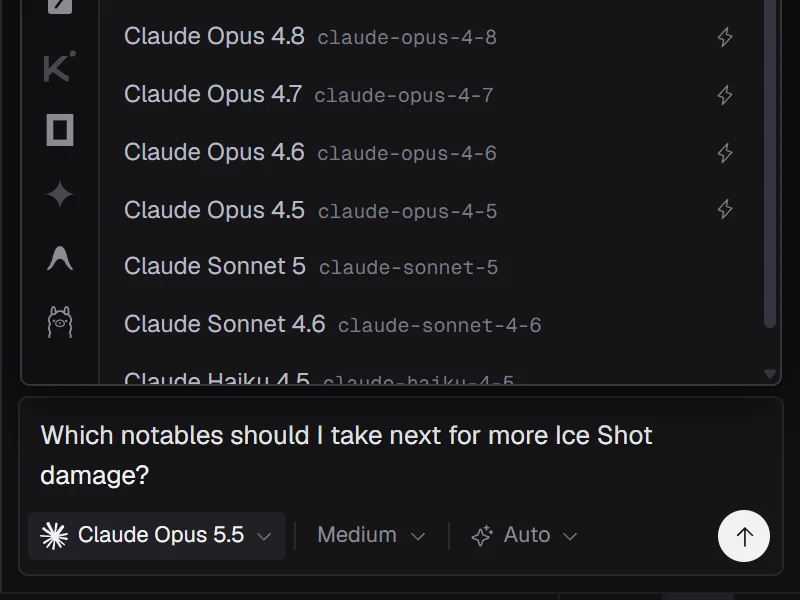
The assistant's model list for Claude, beside the other supported apps and above a question about the build

Path of Exile 1 and 2

Pick a game on first start and switch any time from the title bar. Each game runs its own Path of Building. Import a build from the other game and the app switches for you.
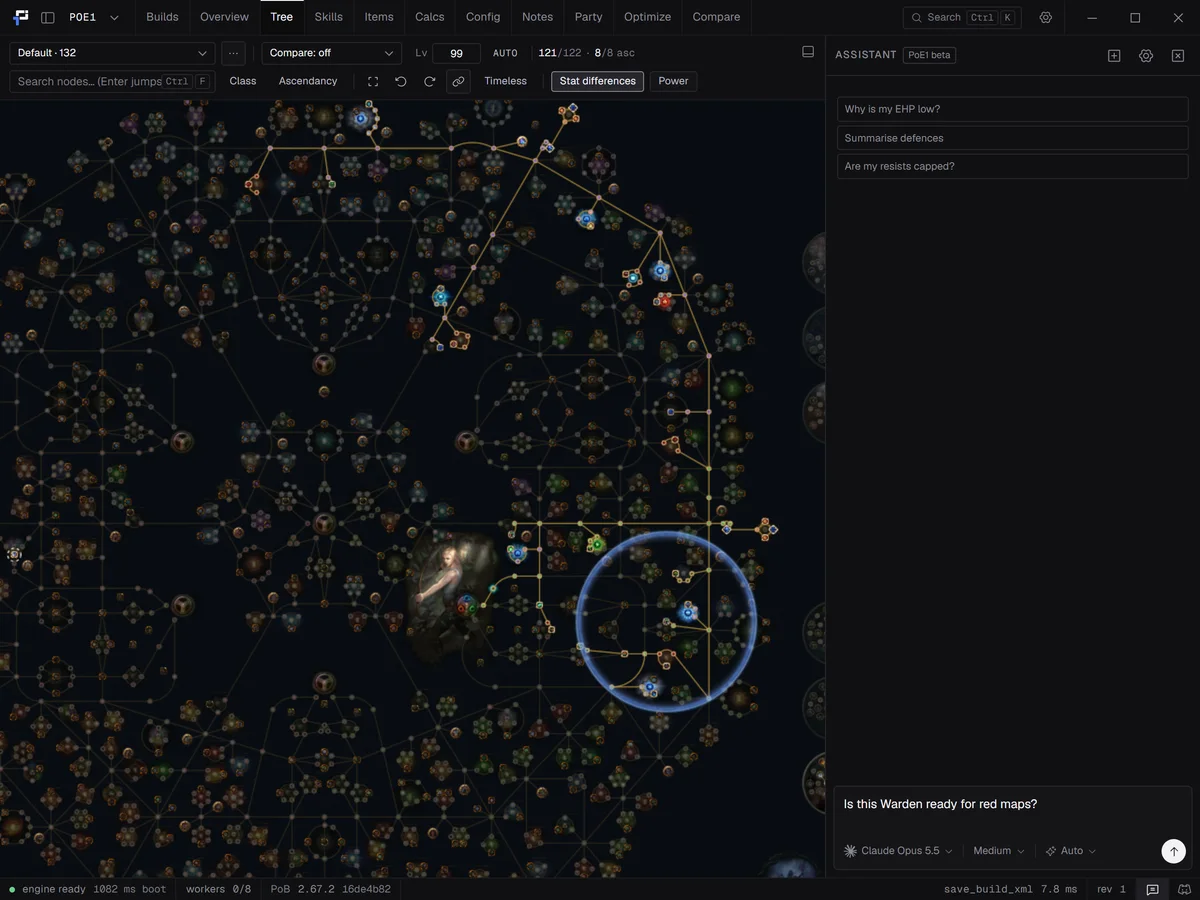
The Path of Exile 1 tree of a Warden build, with the game menu set to POE1 and the assistant marked PoE1 beta

The PoB engine, unchanged

Every tab is here: tree, skills, items, calcs, config, notes, party and builds. The calculations, tooltips and breakdowns are Path of Building's own.

Imports

Share codes, PoB XML, and links from pobb.in, pob.codes, Maxroll, Mobalytics, poe.ninja, poe2db, poedb, Pastebin and Rentry. Import a character by account name, or open pob:// links.

MCP server

An optional local server so Claude Code, Claude Desktop or Cursor can read and edit the open build. It is off until you turn it on, listens on localhost only, and needs a token.

Nine languages

English, Deutsch, Español, Français, 日本語, 한국어, Português (Brasil), Русский and ไทย. Item, skill and passive names stay in English.

Three themes

Dark, Wraeclast and Light, with a contrast slider and an interface scale for small or large screens.

Updates itself

The Windows installer, the macOS app and the AppImage install new versions when you click Update. The packages link to the new download.

Install

Windows

Run the installer. It installs for the current user only and fetches the WebView2 runtime if Windows does not have it.

Linux

On Arch Linux, install pob-redux-bin from the AUR with your AUR helper. Install the .rpm on Fedora and openSUSE or the .deb on Debian and Ubuntu. These packages use the system WebKitGTK. The AppImage works anywhere: make it executable (chmod +x) and run it. Every Linux download comes in an x86_64 and an ARM64 version. On a Chromebook, turn on Linux in ChromeOS Settings, then open the .deb in the Files app. The app turns off WebKit's DMA-BUF renderer, which showed a black window on some Mesa drivers. Set POB_REDUX_GPU=1 to turn it back on.

macOS

Open the .dmg and drag the app to Applications. It runs on Apple Silicon. The app is not signed yet, so macOS blocks the first launch. On macOS 15 or later, open System Settings, then Privacy & Security, and click Open Anyway. On older versions, right-click the app and choose Open.

Your builds

PoB Redux reads and writes Documents/Path of Building (PoE2)/Builds and Documents/Path of Building/Builds, so both apps can open the same files.

Questions

Is PoB Redux free?
Yes. It is open source under the MIT licence, with no account, key or sign-up. The assistant is optional. It runs on your own plan with Claude, ChatGPT or another supported app, or on Ollama on your computer.
Are the numbers the same as Path of Building?
Yes. The calculations are Path of Building Community's own Lua code, run unchanged inside the app. PoB Redux is a new interface on the same engine.
Does it run on Mac and Linux?
Yes. PoB Redux is a native app for Windows, macOS and Linux. On macOS it needs Apple Silicon and macOS 11 or later. On Linux there is an AppImage, a .deb, an .rpm and the pob-redux-bin AUR package, each for x86_64 and ARM64. Chromebooks run the .deb through ChromeOS's Linux support. Path of Building Community ships for Windows only, so on Mac and Linux it usually runs through Wine or CrossOver. PoB Redux runs the same engine without Wine.
Does it support Path of Exile 1 and Path of Exile 2?
Both. Pick a game on first start and switch from the title bar. Each game runs its own Path of Building, and importing a build from the other game switches for you. The assistant and the MCP server work in both games, with the Path of Exile 1 assistant in beta. GGG planner files are Path of Exile 2 only.
Can I import builds from other sites?
Yes. Paste a share code, PoB XML, or a link from pobb.in, pob.codes, Maxroll, Mobalytics, poe.ninja, poe2db, poedb, Pastebin or Rentry. A Maxroll build guide link works too if the author attached a PoB code. You can also import a character by account name from poe.ninja, or from pathofexile.com on Path of Exile 1. On Path of Exile 2 you can open GGG planner files.
Which languages does the app support?
The interface is in English, Deutsch, Español, Français, 日本語, 한국어, Português (Brasil), Русский and ไทย. It follows your system language until you pick one in Settings. Item, skill and passive names come from Path of Building and stay in English.
Does it update itself?
Yes. The Windows installer, the macOS app and the AppImage check for a new version shortly after start and install it when you click Update. For the .deb and .rpm packages, the app links to the new download. AUR installs update through your AUR helper.
Where are my builds stored?
In the same folders Path of Building uses, under Documents. Both apps open the same files, so nothing needs converting.